Présentation de nouvelles fonctionnalités de scénarios d’urgence pour le contrôle d’accès
Face à la complexité croissante des enjeux de sécurité dans les établissements scolaires et les entreprises, la préparation aux situations de crise s’impose désormais comme une priorité absolue. La protection des élèves, du personnel et de toutes les parties prenantes nécessite la mise en place de stratégies rigoureuses, capables de répondre à une multitude d’urgences, des aléas climatiques aux situations menaçantes.
Pour aider les organisations à réagir avec plus de précision et de confiance, nous allons au-delà des confinements/verrouillages généraux pour introduire un ensemble plus large de scénarios d’intervention d’urgence dans le contrôle d’accès. Les dirigeants peuvent désormais verrouiller et déverrouiller les portes en cas d’urgence et concevoir des scénarios basés sur le protocole d’intervention standard de la fondation « I Love U Guys » dans Command.
Le protocole de réponse standard
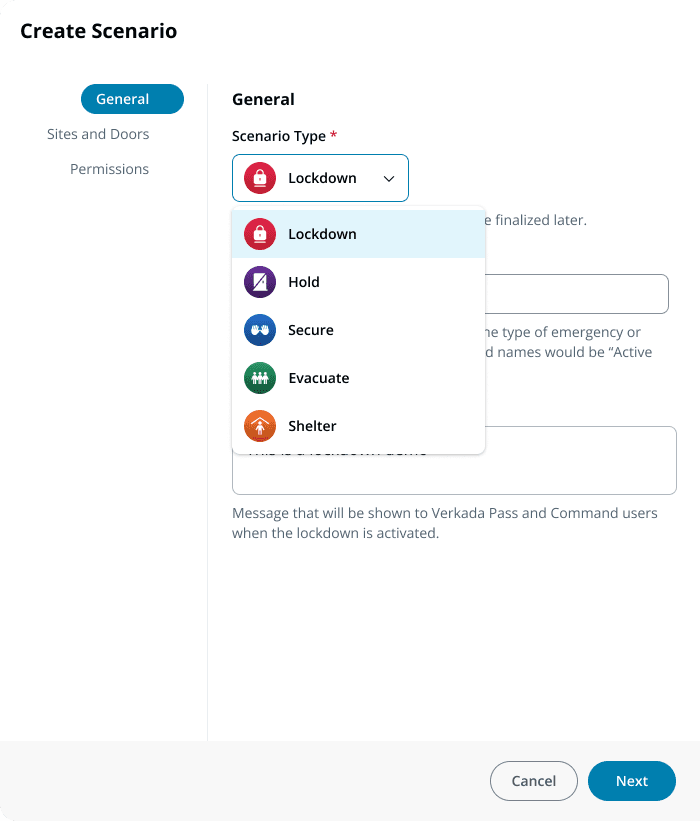
Le protocole d’intervention standard (de la fondation I love You Guys) est un cadre d’action qui aide les écoles et les lieux de travail à répondre aux différentes situations d’urgence de manière claire et cohérente. Elle consiste en cinq actions spécifiques :
Maintenez: le protocole utilisé lorsque les occupants doivent rester dans les couloirs.
Sécurisé: protocole permettant de verrouiller les portes extérieures afin de protéger les personnes à l’intérieur d’un bâtiment.
Verrouillage: le protocole utilisé pour sécuriser les différentes pièces et maintenir les parties en place en cas de menaces actives dans un bâtiment.
Évacuation: protocole utilisé pour déplacer les personnes d’un endroit à un autre, à l’intérieur ou à l’extérieur du bâtiment.
Mise à l’abri: le protocole sert à fournir des conseils spécifiques pour différents risques environnementaux, tels que les tommes, les séismes, les couvertures humides, etc.
Scénarios Verkada
Nous avons fait évoluer notre fonctionnalité de verrouillage dans Command pour permettre aux écoles, entre autres, de programmer des scénarios d’intervention basés sur le SRP.
Dans l’onglet « Scénarios » du contrôle d’accès, les administrateurs peuvent désormais créer des configurations personnalisées pour l’une des cinq actions SRP.
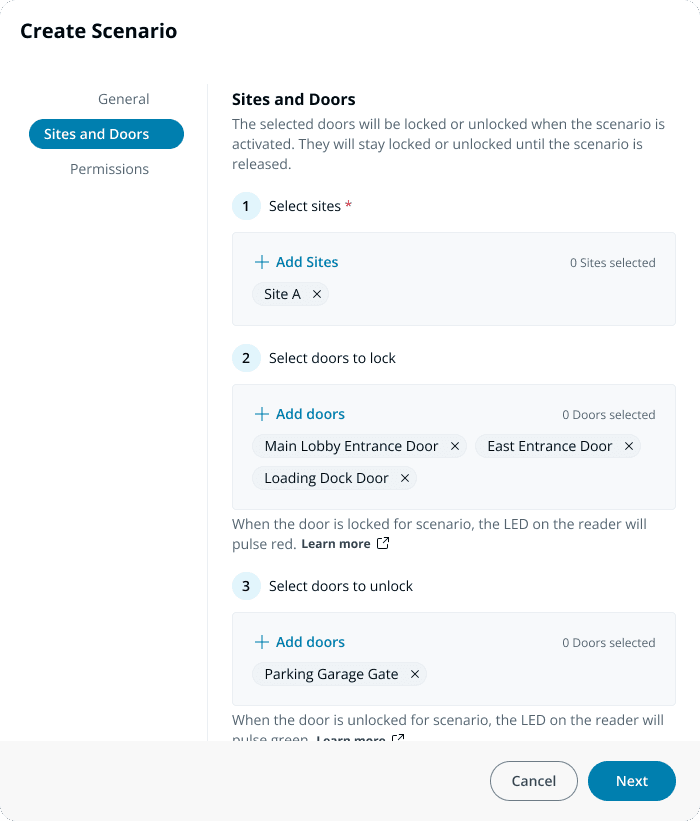
Ensuite, les administrateurs peuvent non seulement désigner les portes à verrouiller en l’absence de menaces, mais également sélectionner les portes à déverrouiller pour faciliter une évacuation rapide ou autoriser l’entrée des premiers intervenants. Les administrateurs peuvent également configurer un scénario sans aucun changement d’état de porte : cette fonctionnalité est particulièrement utile pour signaler une intervention d’urgence (par le biais de sirènes, de lumières stroboscopiques ou d’autres fonctionnalités d’alerte) sans affecter les portes.
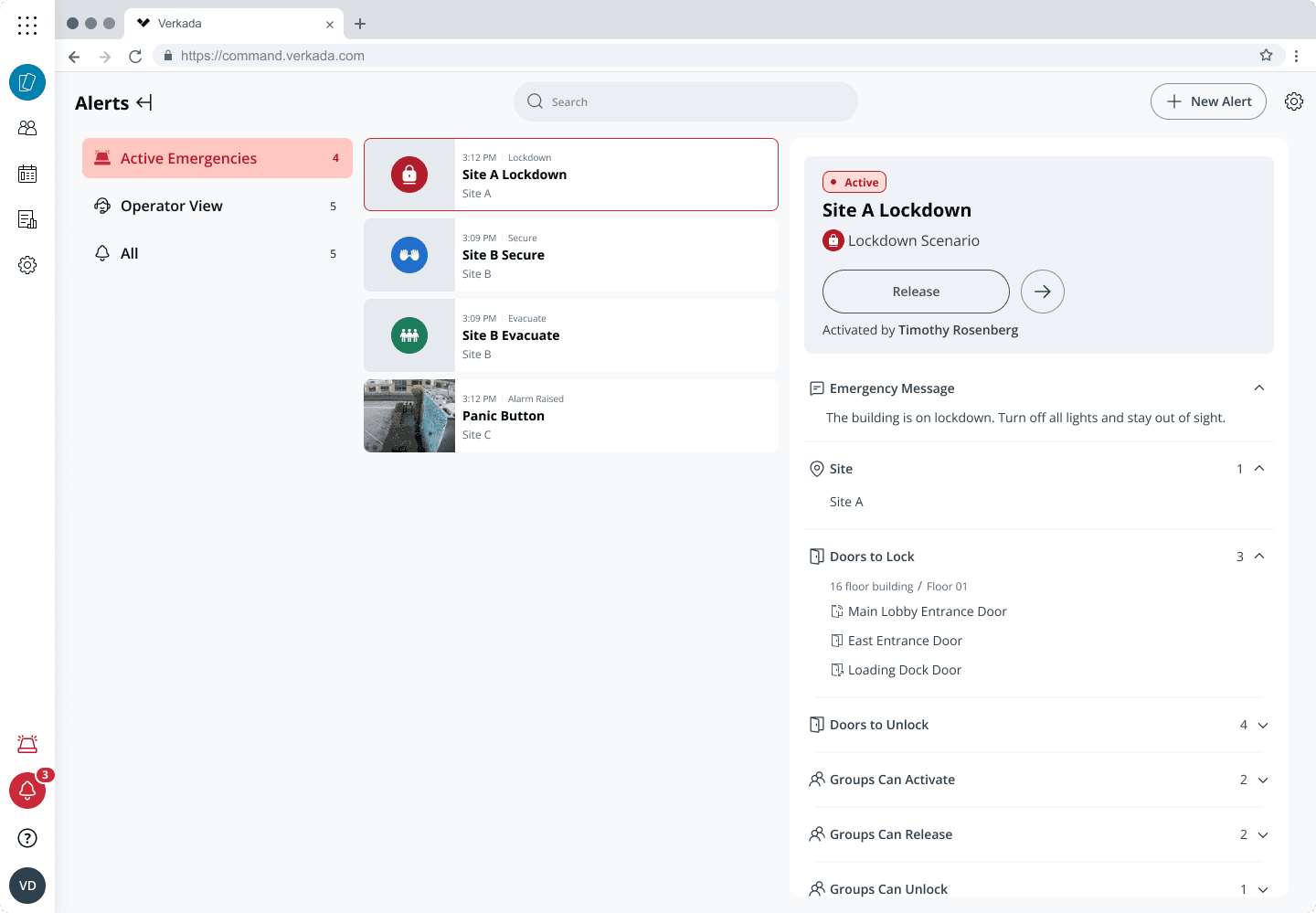
Comme auparavant, les administrateurs peuvent déléguer des autorisations spécifiques au personnel pour activer, désactiver et déverrouiller des portes lorsque des scénarios sont en vigueur.
Outre le changement d’état des portes, tous les scénarios peuvent être configurés pour déclencher des alertes automatisées envoyées au web, par SMS et aux applications mobiles.
Les scénarios peuvent être activés via l’interface Web de Command, l’application mobile Command et l’application Pass, des boutons d’urgence montés et des plateformes tierces via l’API. Lorsqu’un scénario est activé, une vignette avec un code couleur apparaît dans le coin inférieur gauche de l’interface Command, offrant ainsi une confirmation visuelle instantanée du scénario en cours.
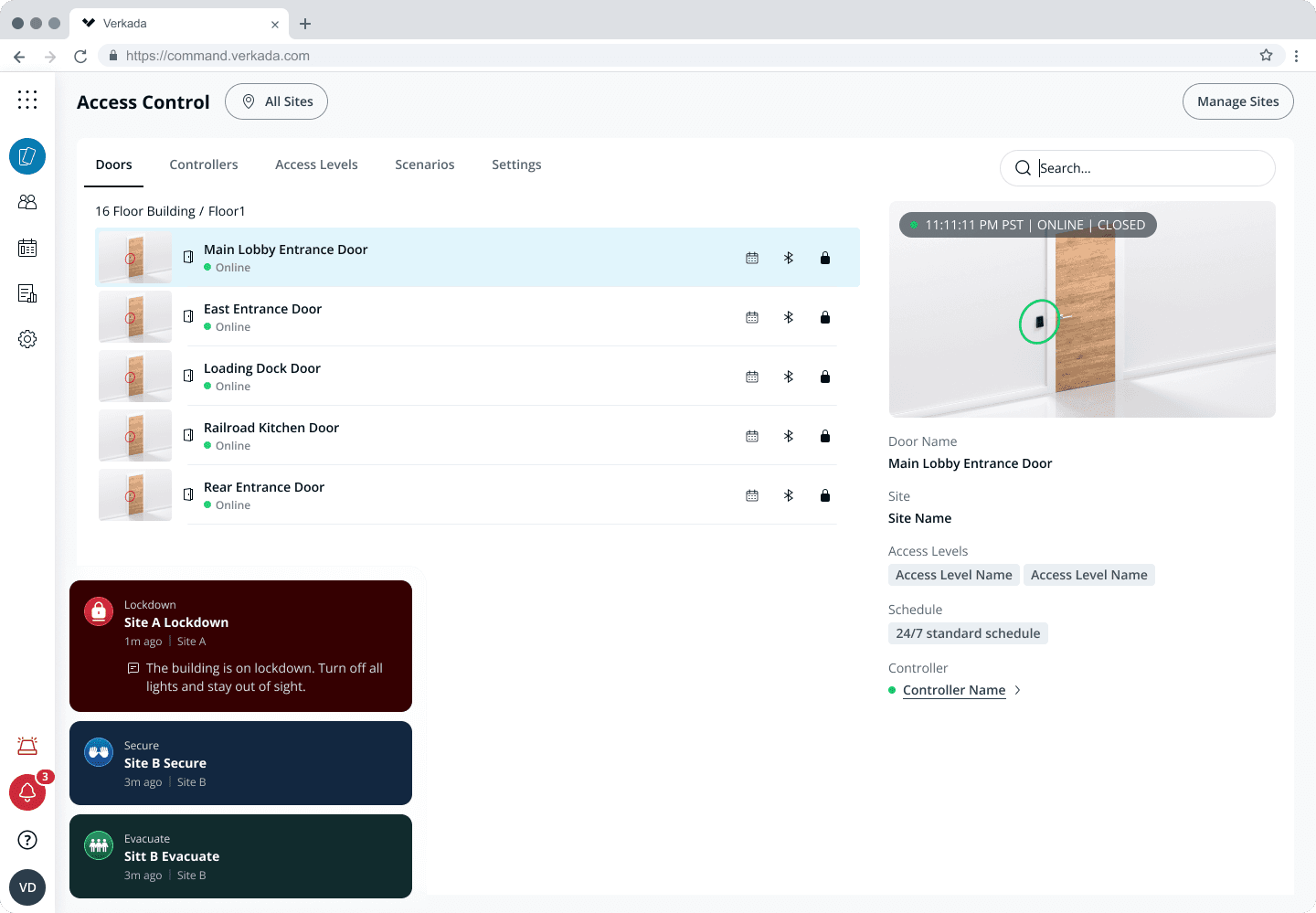
En cliquant sur cette vignette, l’utilisateur accédera à l’onglet « urgences actives », où il pourra consulter des détails supplémentaires et gérer le scénario. Cette vue regroupe toutes les urgences en direct, des scénarios de contrôle d’accès aux alarmes déclenchées, sur chaque site.
Grâce à ces changements, les écoles et les lieux de travail peuvent répondre avec plus de confiance et de précision aux différentes urgences qui surviennent sur leurs campus.
Disponibilité
La nouvelle expérience « Scénarios » sera disponible dans Command pour toutes les organisations le 14 mai 2026. Pour plus d’informations, contactez vos représentants commerciaux ou consultez notre doc Présentation du verrouillage et des scénarios.


