Managing intrusion alarm systems across dozens or hundreds of locations has historically been an operational bottleneck. Enterprise security teams are all too familiar with the friction, whether that is managing keycodes for hundreds of employees, or only discovering faulty sensors after a break-in occurs.
We are excited to introduce three major platform updates designed to make multi-site alarm management seamless and efficient:
Unified keycode management
An updated system health dashboard
Auto re-arm
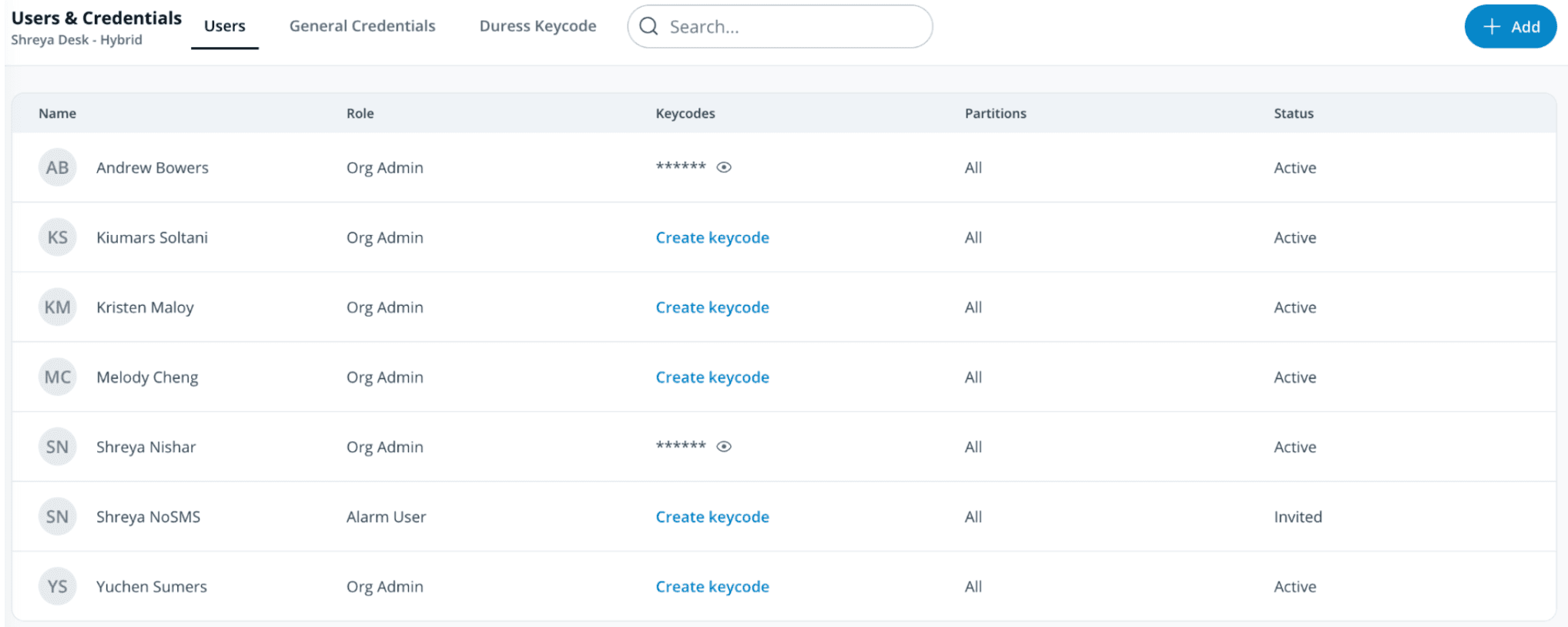
Unified Keycode Management: One Code, Anywhere
Managing alarm credentials across multiple physical sites used to require managing credentials site by site. With unified keycode management, keycodes can now be tied directly to a user’s central Command profile rather than scoped to individual sites.
Key Capabilities
One code for all sites: A user can now use a single PIN keycode across every location and partition where they have arm/disarm privileges.
New "alarm user" role: Provides clear, centralized visibility into who has arming and disarming access across your entire organization. Org and site admins automatically inherit Alarm user permissions.
Flexible access scoping: Effortlessly grant permissions at three distinct levels:
By site: Directly manage keycodes within the alarm site settings.
By user profile: Assign specific site and partition roles right from a user's Command profile.
By groups: Bulk-assign permissions across multiple sites or partitions using org groups.
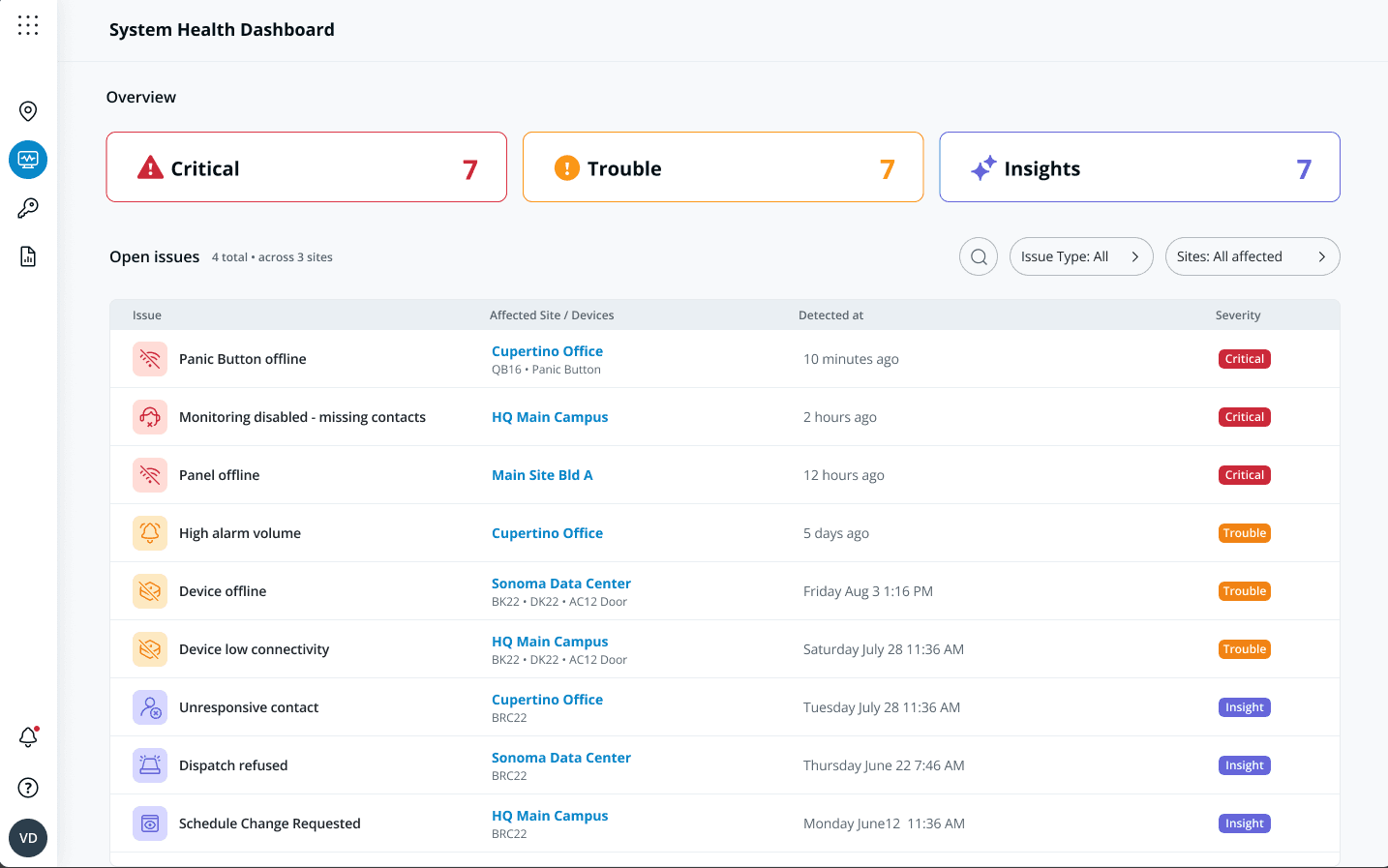
System Health Dashboard: Prioritized Oversight & AI Insights
When managing thousands of sensors and alarm panels, knowing which device requires immediate maintenance is critical.
The updated system health dashboard gives security administrators a 30,000-foot view of their global alarm infrastructure. Instead of digging through endless device lists, Command prioritizes attention-worthy issues and guides technicians directly to resolutions.
Prioritized attention queue: Automatically surfaces offline devices, wiring issues, and low-battery warnings ranked by operational urgency.
Troubleshooting assistance: Integrated step-by-step diagnostic workflows help team members resolve hardware issues quickly.
AI-powered insights: AI analysis correlates health events across sites to identify recurring patterns and prevent false alarms.
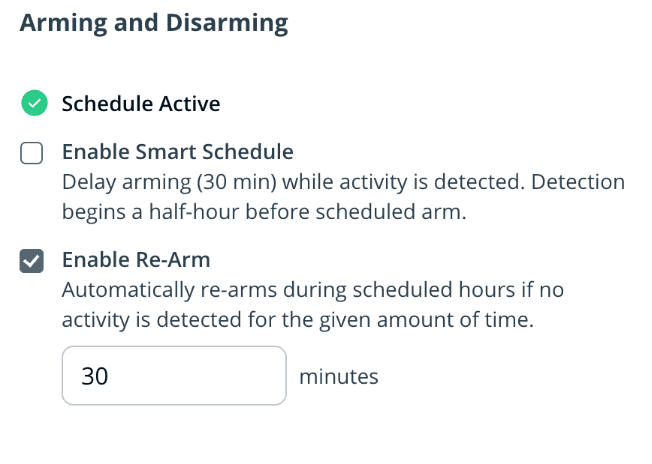
Auto Re-Arm: Inactivity-Based Security
Traditional alarm systems often feature a timer that forces a system to re-arm after 30 or 60 minutes. However, rigid static timers frequently fail. If vendors take longer than expected, the alarm triggers while they are inside; if they leave early, the site remains exposed until the timer expires.
Our new smart auto re-arm feature dynamically re-arms a disarmed partition during scheduled armed hours based on real-time activity detection.
How It Works
Powered by smart arming logic: Uses integrated camera motion and sensor telemetry to continuously evaluate physical activity in the space.
Inactivity trigger: When a partition is disarmed after hours, auto re-arm activates only after a configurable period of zero activity (default is 30 minutes.)
Adapts to real-world schedules:
Staff leave early: As soon as activity stops, the 30-minute inactivity countdown begins, securing the site sooner.
Maintenance stays late: Motion detected by Verkada cameras or sensors automatically pushes back the re-arm timer, preventing false alarms while staff finish up.
Streamline Your Multi-Site Operations Today
These updates are designed to scale with your organization – reducing administrative overhead, improving maintenance response times, and closing security gaps across every location.
Availability
These features will be rolled out in Verkada Command on October 8, 2026. For a personalized demo or quote, contact your Verkada sales representative or email [email protected].


