Introducing a Refreshed Command Admin Interface for Faster Settings Navigation
We're excited to announce a redesign to Command's admin and organization settings pages, giving users even more powerful ways to navigate their settings quickly. First, we've made menu navigation more intuitive by grouping related features under clear headers. Second, we have improved search bar functionality to enable instant filtering across all admin settings. Now users can simply type keywords related to any Command feature and find what they need – eliminating the frustration of clicking through multiple settings menus.
As Verkada continues expanding Command's functionality and configuration options, this new navigation system serves as a powerful tool to help users move through the platform quickly. Let’s take a closer look at some of the new search functionality.
Filtered Results with Real-Time Updating
The updated Command search bar delivers a dynamic, responsive experience that starts filtering results the moment a user starts typing. Results update instantly, narrowing options in real-time without requiring an exact feature name match. As the user adds or modifies search terms, less relevant options disappear and more precise matches rise to the top.
For example, when adding a group of new hires to Command, users can open their Command settings screen and enter a simple keyword like "users" in the search bar. The interface will instantly return all relevant deeplinks to help complete the task efficiently. With these steps towards better interface navigation, we’re helping Command users streamline how they manage their Verkada products.
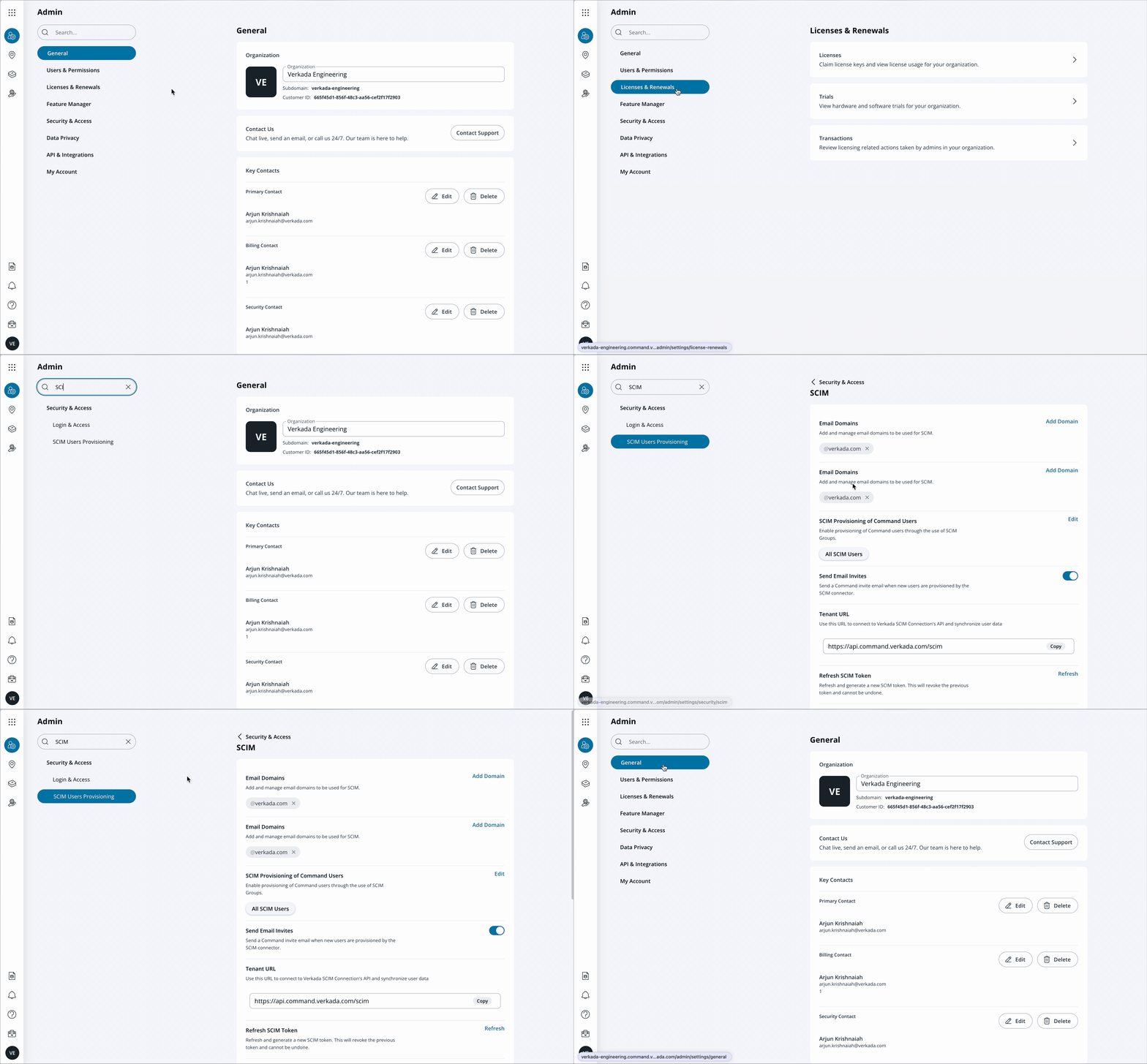
Deep Links for Immediate Action
When users search for a specific setting, Command now not only filters results based on their query but also provides direct paths to those settings pages. Users can simply click on any search result to navigate directly to that exact location in Command's settings — eliminating the need to click through multiple menus or remember complex navigation paths. These deep links enable administrators to make configuration changes in seconds rather than minutes.
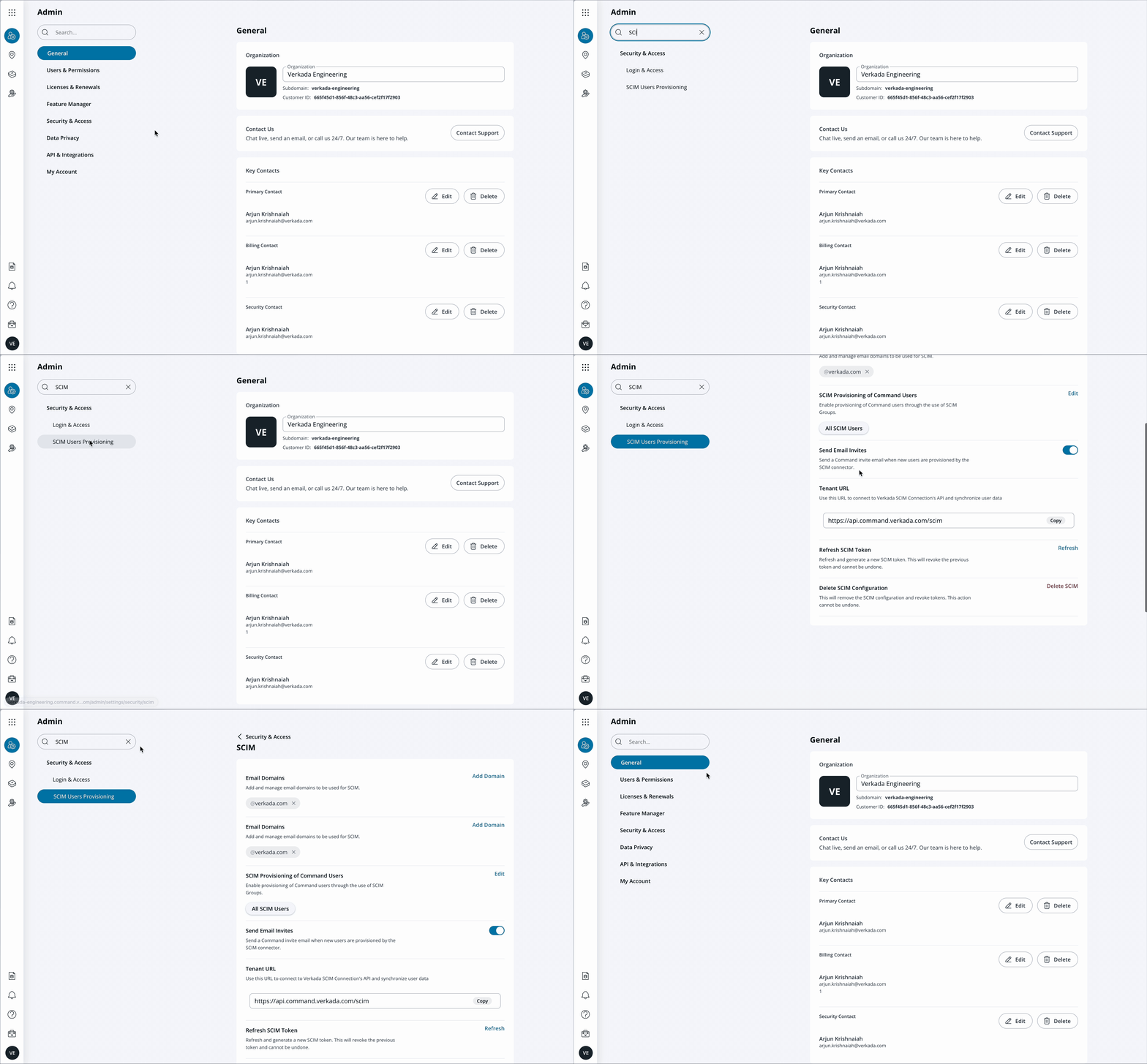
Availability
These updates are available on May 15, 2025. To learn more contact your Verkada sales representative or reach out to get a personalized demo at [email protected].


