From Escalation to Enhancement: How One Camera Issue Strengthened the Platform
When a large academic institution reported camera failures, Tyler Webb, an Escalations Engineer, led a comprehensive investigation. What initially appeared to be a handful of offline devices revealed a deeper issue: cameras that seemed to work normally after installation were later failing, leaving Tyler to determine what was causing the failures and how to prevent them from happening again.

Concerning Device Failures
This customer deployed hundreds of Verkada cameras, which initially appeared to work normally after installation. The issue emerged primarily at night, when the cameras’ IR lights activated and increased their power draw, causing an unexpected PoE power budget issue that could leave multiple cameras offline and unresponsive. The affected cameras displayed an amber LED, indicating that their onboard device processes were unhealthy. No amount of troubleshooting, either by the customer or our Support team, could recover them. The only known solution was a hardware replacement. Replacing the cameras was challenging because many were installed out of reach, and the recurring failures raised questions about why multiple devices were exhibiting the same behavior.
Given that the client had reported the same problem to our Support Team more than once, Tyler was engaged to conduct a thorough investigation to determine the root cause. “We saw it as a signal to look deeper,” Tyler said. “This wasn’t just a few bad devices. Something systematic was going on.”
Finding the Pattern
Tyler was worried that this customer would have more device failures and that other customers might experience the same issue unless he resolved it. Tyler reviewed logs from the days leading up to the failures, looking for clues about what was causing the issue across the affected devices. Packet captures showed no outbound network traffic from the affected devices, explaining why they were completely offline.
Tyler noticed something unusual: the devices in this organization had boot counts thousands of times higher than those of similar cameras in other deployments that had been in use for a comparable period. The logs indicated frequent power errors. When these devices entered the failure state, they never communicated with the network again. To learn more, Tyler obtained several of the failed cameras for hands-on investigation. He confirmed they never completed the boot-up process. Where the device got stuck in the boot-up process and why it stopped progressing remained a mystery.
Reproducing the Issue in the Lab
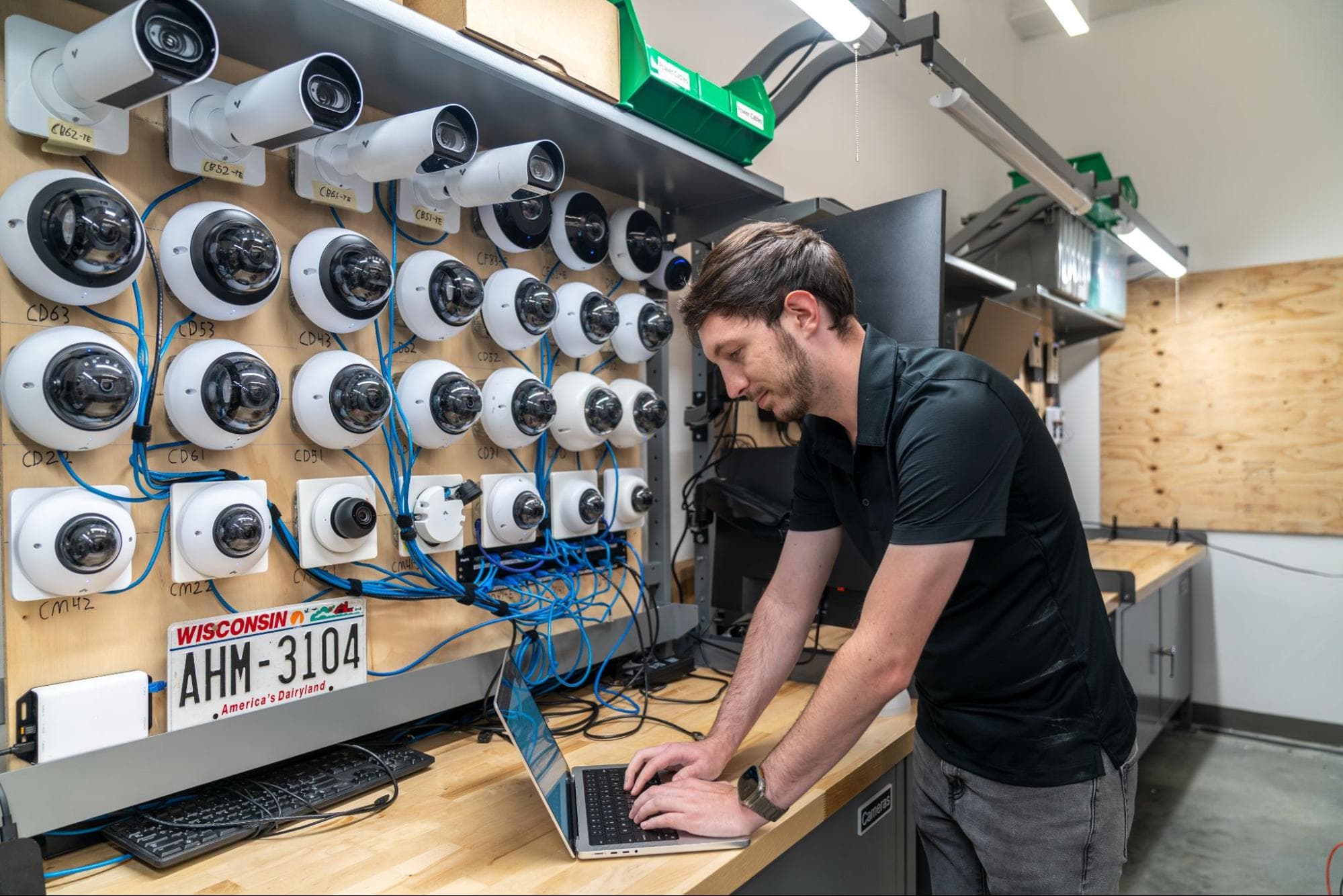
Tyler suspected that unstable power recovery was causing the boot issue. Power loss reboots aren’t unheard of across the fleet, and the vast majority of the time, the cameras come back up healthy. Tyler’s hypothesis was that each device that reboots due to a power loss had a very slim chance of entering this state, and judging from the device boot counts in the customer’s org, it could take hundreds of thousands of power-loss events to get one device into this state. To prove it, he built a test environment with dozens of lab cameras:
He loaded the cameras with special firmware to gain deeper debugging access.
He wrote a script to automate the testing.
The script programmatically fluctuated power to each camera to trigger a power-loss reboot. Once the camera was fully operational, it would repeat.
The script monitored every reboot and alerted if any camera entered the failure state.
Days passed as the tests ran continuously, putting each camera through around 10,000 reboots on average, and finally… success! One camera failed in the same way as the cameras in the field. Tyler inspected the device and discovered corrupted system files that caused the boot process to stall.
Implementing a Scalable Fix
With the root cause identified, Tyler worked with the firmware engineering team to develop an automatic detection and self-repair mechanism. Now, if these files are ever missing or corrupted, the camera will automatically repair them.
This firmware update has already been deployed across the fleet, making Verkada cameras more resilient against power-loss events.
Solving the Issue
In tandem with engineering, Tyler now knew the cause and could share it with the customer. Stabilizing the power delivery to the cameras was priority number one. This would prevent devices from entering a problematic state and prevent any footage loss from a camera reboot.
The customer made the necessary changes, and Tyler monitored the cameras. Cameras weren’t rebooting anymore, and there were no device failures in the time it took to get the cameras onto the fixed firmware. The customer was happy that we took this seriously, and we now had a fix in place that the customer trusted.
Lessons from the Investigation
Tyler credits the success to a structured approach: gather data, form a theory, test it, and validate every assumption. Collaboration with the firmware team and quick action once the failure was reproduced made all the difference.
This was not just a fix for one deployment; it was a system-wide improvement. Cameras are now more resilient to power fluctuations, reducing the risk of failure.
“This change prevents future failures and improves reliability for every customer,” Tyler said. “It started with one case, but it made the entire platform stronger.”
What began as a puzzling escalation led to improved recovery logic, better monitoring, and greater reliability across the entire camera fleet. Most importantly, the customer who raised the issue now has a more stable deployment and greater confidence in the platform. At Verkada, every challenge is a chance to make the platform stronger.
Our Technical Support Engineering team is growing. Explore our careers page for open roles.


